Type-Safe Constants
DUIL components expose type-safe constants for every prop — ensuring valid values and consistent code across your project.
Constants structure
Our UI components expose type-safe constants to help you assign valid values to props in a consistent manner.
Constants follow this structure: [COMPONENT].[PROPERTY].[VALUE]
Importing constants
You can import constants from the Stencil library and use them in your React components to ensure you're using valid values for props. This not only helps prevent errors but also provides better readability and maintainability in your code.
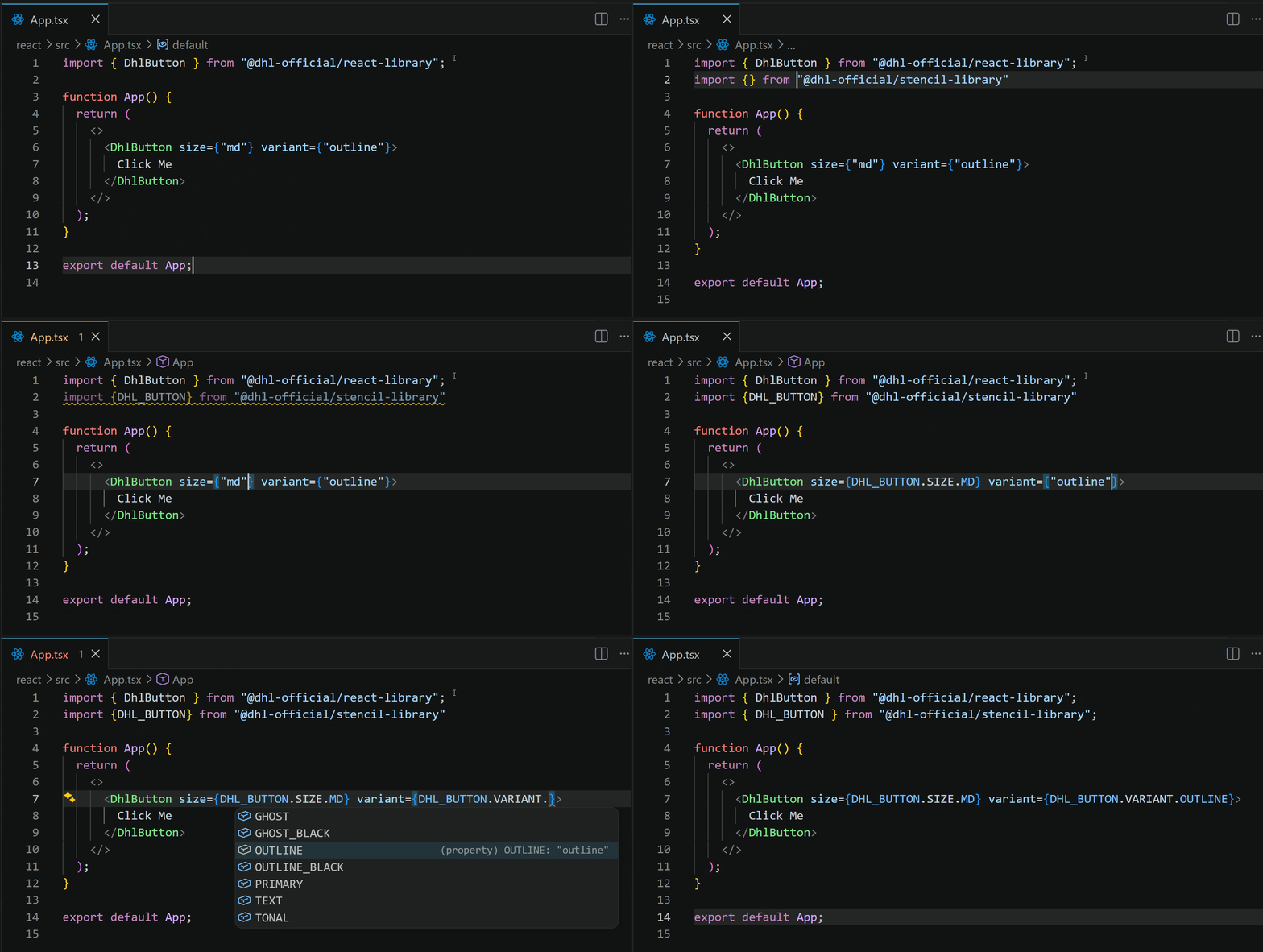
You can import constants in two ways:
import { DHL_BUTTON } from "@dhl-official/stencil-library";
or
import * as DUIL_CONSTANTS from "@dhl-official/stencil-library";

const { DHL_BUTTON } = DUIL_CONSTANTS;
Usage examples
Basic button
import { DhlButton } from "@dhl-official/react-library";
import { DHL_BUTTON } from "@dhl-official/stencil-library";

<DhlButton
size={DHL_BUTTON.SIZE.SM}
variant={DHL_BUTTON.VARIANT.PRIMARY}
type={DHL_BUTTON.TYPE.BUTTON}
>
Click me
</DhlButton>
Combining multiple props
import { Airport } from "@dhl-official/icons";
import { DhlButton } from "@dhl-official/react-library";
import { DHL_BUTTON } from "@dhl-official/stencil-library";

<DhlButton
size={DHL_BUTTON.SIZE.MD}
variant={DHL_BUTTON.VARIANT.OUTLINE}
icon={Airport}
iconOrientation={DHL_BUTTON.ICON_ORIENTATION.RIGHT}
>
Click Me
</DhlButton>
Using multiple components
import { DhlButton, DhlAlert } from "@dhl-official/react-library";
import { DHL_BUTTON, DHL_ALERT } from "@dhl-official/stencil-library";

<>
<DhlButton
    size={DHL_BUTTON.SIZE.SM}
    variant={DHL_BUTTON.VARIANT.PRIMARY}
>
    Click Me
</DhlButton>

<DhlAlert
    variant={DHL_ALERT.VARIANT.TOAST}
    bodyText="This is an alert"
/>
</>
Destructuring multiple props
When using multiple props from the same component constant, destructure it upfront to avoid repeating the component name on every value:
import { DHL_BUTTON } from "@dhl-official/stencil-library";

const { SIZE, VARIANT } = DHL_BUTTON;

<DhlButton size={SIZE.SM} variant={VARIANT.OUTLINE}>
Clean syntax
</DhlButton>